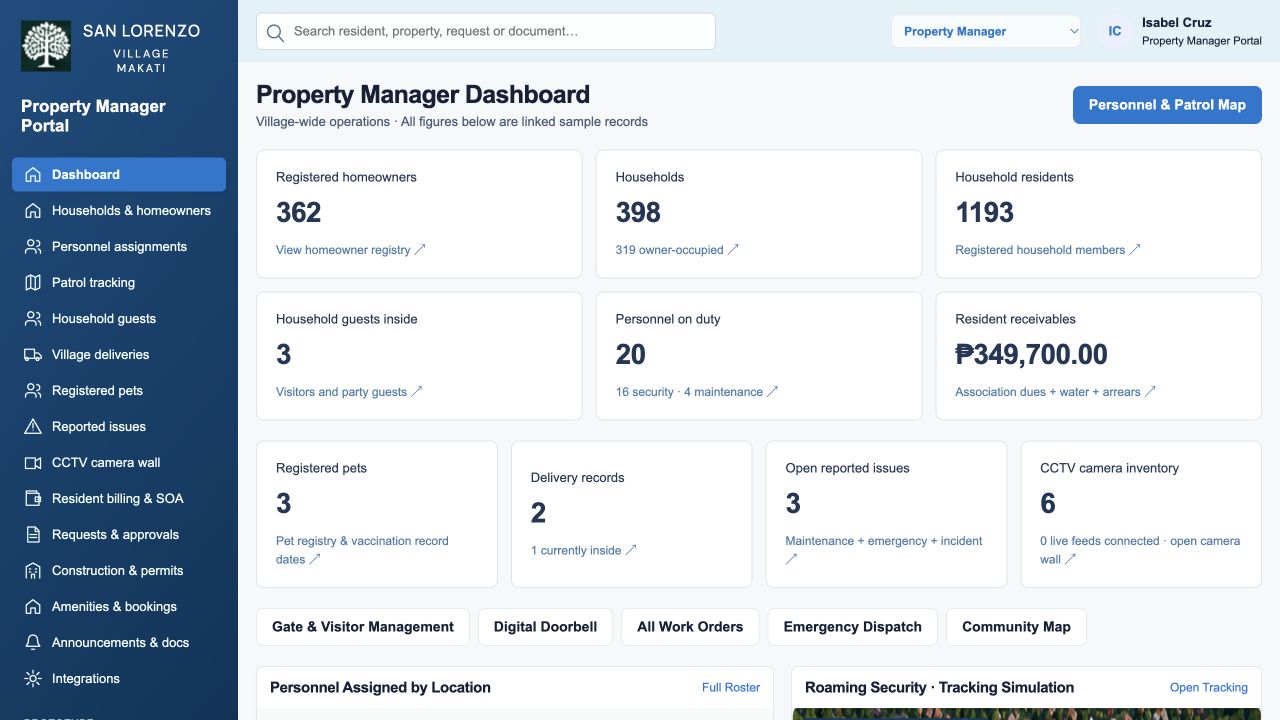
See the experience through our interactive product demonstrations.
One connected property experience.For residents. For operations. For your community.
↗
Designed around your communityResident servicesProperty operationsSecurity & accessCommunity management
Our approach
Everyday needs. Connected solutions.
A resident needs a repair. Security needs an approved guest pass. A manager needs to understand what is outstanding. These moments belong in the same connected experience.
Monsterbot develops digital products around practical, real-world needs. Our property solutions bring resident services and management workflows into a clear, organized environment, with experiences tailored to buildings and village communities.
Resident balances, dues, assessment details and statement journeys.
Payment status
Review execution outcomes separately from accounting posting confirmation.
Exception recovery
Missing callbacks, delayed updates, escalation, refunds and returns.
Traceable decisions
Role-based views, scoped evidence and actor / timestamp history.
These are demonstration capabilities. Payments, accounting connections, physical access, live GPS and CCTV feeds require implementation and integration for a production rollout.
A connected service journey
Less uncertainty. More visibility.
Follow one request across the people responsible for getting it done.
01 / RESIDENT
Start with the right request.
Choose a service, review its requirements and provide the information the team needs.
02 / PROPERTY TEAM
Review and coordinate.
See the application in a relevant queue, review the details and coordinate the next step.
03 / SHARED RECORD
Follow the outcome.
Review status, notifications and decision history so residents and teams can understand what happened.
Compare your options
A broader view of property management.
Look beyond a feature checklist. Compare how each solution connects residents, property teams and the wider community.
What matters
Condominium & Village Portal
Other property solutions: what to check
Resident convenience
Everyday services in one experienceStatements, repairs, amenity bookings, guest access and resident applications.
Can residents complete service journeys and follow progress, or only send messages?
Property operations
Workflows beyond the front deskApproval queues, work orders, preventive maintenance, assets and management reporting.
Are operational workflows included, or do teams need separate tools?
Buildings and villages
Two environments, one connected approachBuilding and unit services alongside household, gate and community operations.
Does the product support your property structure and community requirements?
Security coordination
From visitor requests to field teamsGuest and delivery journeys, personnel assignments, patrol and incident demonstrations.
How are resident approvals connected to security and field operations?
Payment accountability
Payment and posting visibilityStatements, payment status, accounting confirmation and exception recovery journeys.
Can teams distinguish a payment outcome from its accounting posting?
Fit for your property
Start with your real workflowsDefine roles, approval rules and integration needs around your community.
What can be configured, what needs integration, and what is included in the agreed scope?
Our public walkthroughs demonstrate these capabilities with sample data. Other solutions vary by provider and package; confirm scope, integrations and pricing directly with each provider.
Property services. Payments handled by our partner.
DigiCash Global Solutions Inc. is our partner company handling payments within the app. The property portal connects the resident service experience with DigiCash’s payment solutions.
The public walkthrough simulates payment actions. Live payment processing is delivered through the agreed DigiCash integration for each implementation.
Demonstration only · Sample records · Simulated actions
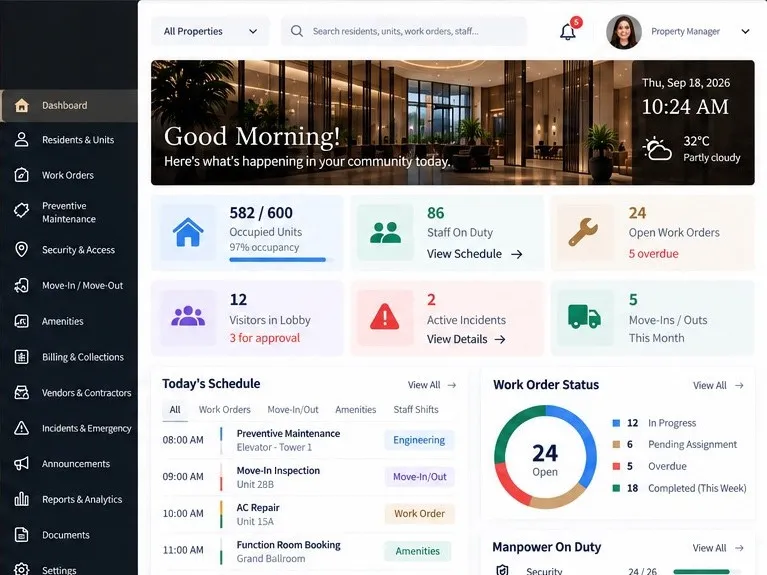
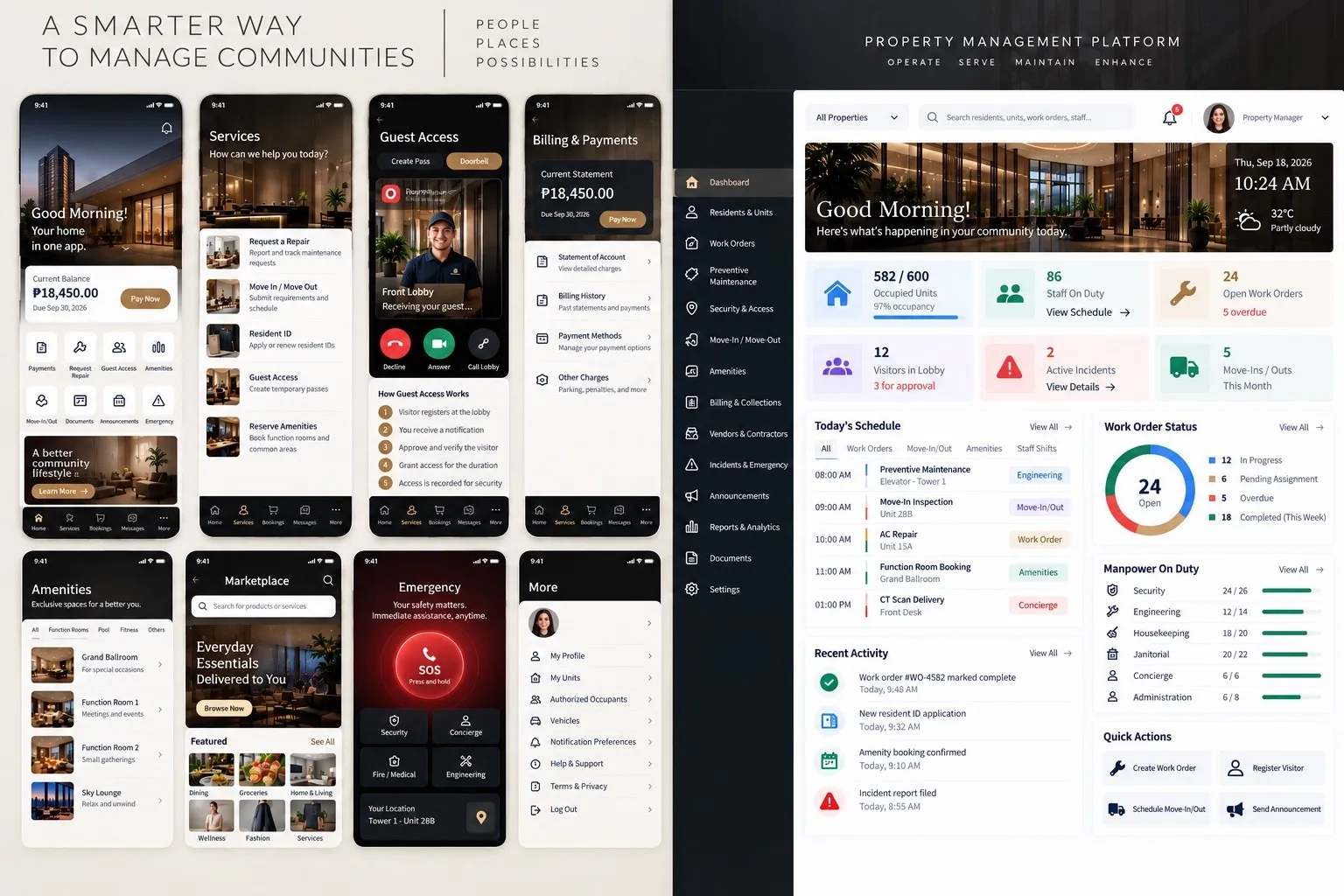
CONDOMINIUM PORTALWALKTHROUGH PREVIEW
One property. Many connected services.
ResidentRequests & everyday services
ManagerOperations & approvals
SecurityVisitors & access journeys
VillageHouseholds & command center
Explore the roles. Follow the workflow. See the capabilities.
Before you explore
Questions, answered.
Who are these solutions designed for?
Condominium corporations, property management teams, developers, villages and homeowners associations looking to connect resident services with property and community operations.
How do Condominium Portal and Village Portal differ?
Condominium Portal focuses on building, unit and resident workflows, including permits, concierge services and engineering operations. Village Portal focuses on households, community gates, field personnel, patrols and a community command center. Both demonstrate billing, requests, amenities and communication.
Can the solution be adapted to our property?
Monsterbot’s approach is to start with existing capabilities and shape the solution around practical requirements. Discuss your property structure, roles, approval rules and integration needs with the Monsterbot team to define an appropriate scope.
Let’s build around the way your property works.
Talk to Monsterbot about your community, your operating needs and the right starting point.


 CONDOMINIUMS & RESIDENTIAL BUILDINGS